
Executive summary
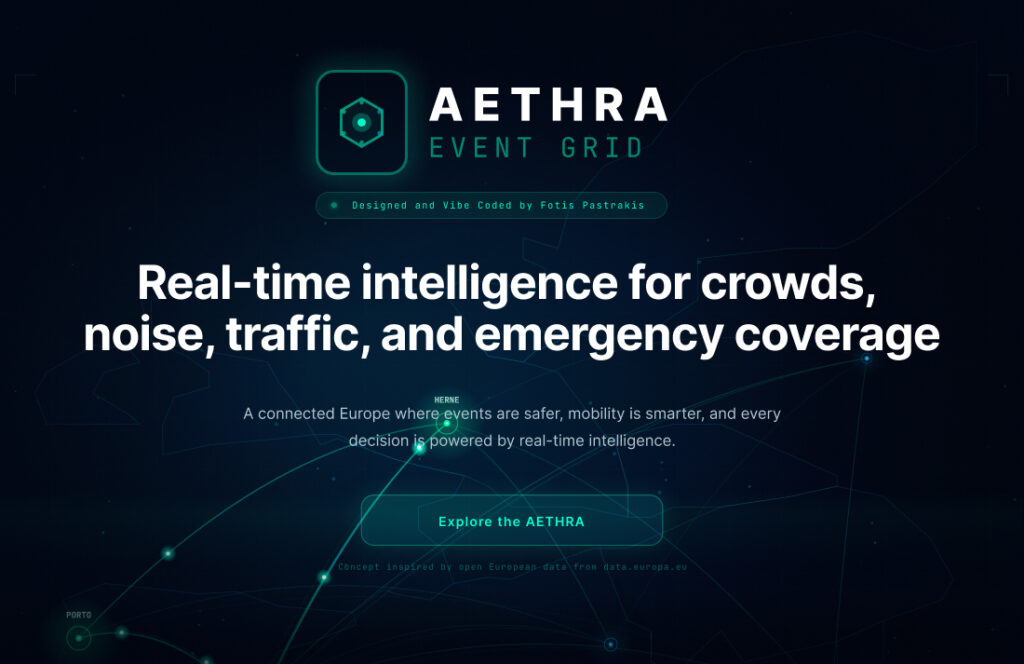
AETHRA Event Grid is an advanced operations platform conceived to strengthen public safety and operational readiness during high-density, high-stakes urban events. It brings together real-time situational awareness, pre-event simulation, and decision-support tooling within a single, cohesive interface designed for rapid interpretation and coordinated action.
The solution is structured around three core operational capabilities: (1) a Simulation Studio for modelling scenarios and testing response strategies before an event takes place, (2) a City Command Center for monitoring live conditions across connected locations, and (3) a Scenario Comparison module for evaluating alternative plans against shared performance indicators. These capabilities are complemented by narrative and informational layers that communicate the product vision, illustrate practical deployment contexts, and support broader stakeholder understanding.
AETHRA’s design approach deliberately reflects the realities of mission-critical work: dense information display, immediate feedback, and an immersive “control room” experience for operators, balanced by structured, explanatory views for planning and communication. In its current form, the work establishes a strong foundation for scaling toward production-grade deployments, where integrated data pipelines, role-based access, auditability, and evidence-ready reporting can transform the platform from a concept demonstration into an operational standard for multi-agency event governance.
The current implementation took part in the contest of contra.com, using Figma Make and hatched the idea through the open data of EU here and the final result as a prototype can be found in the following link.
Final prototype: https://stand-bead-41217043.figma.site/
Scope
AETHRA Event Grid was developed as a mission-critical operations experience for planning, monitoring, and coordinating large-scale city events through a single, coherent interface. The scope of work focused on defining the product structure and delivering a high-fidelity, end-to-end front-end experience that demonstrates how the platform is used across key operational workflows.
Within this scope, the work includes:
Operational modules (core experience)
- Simulation Studio: an immersive environment for pre-event planning and scenario-based simulation.
- City Command Center: a real-time monitoring interface designed to provide multi-signal situational awareness.
- Scenario Comparison: a structured mechanism for comparing alternative scenarios and outcomes against shared performance indicators.
Implementation-level structure (front-end)
- A modular UI architecture consistent across routes and components, enabling scalability of patterns such as panels, overlays, charts, and navigation paradigms.
Narrative and informational layers (context + communication)
- A vision-led framing of the product’s purpose and value.
- Case-based storytelling to illustrate applicability across different cities, event scales, and governance contexts.
- A “connected cities” concept layer that supports the broader multi-city / network framing.
UX and interaction system
- A defined interaction model separating “cockpit-style” operational tooling from “briefing-style” informational pages.
- Motion and feedback principles supporting high-speed comprehension, confidence, and control.
- Accessibility considerations appropriate for dark-mode, high-density interfaces (contrast, focus visibility, reduced-motion support).
Negative Scope
To preserve clarity and avoid overstating readiness, the following areas were intentionally excluded from the delivered scope and should be treated as future-phase work rather than completed outcomes:
Production backend and live data integrations
- No real sensor ingestion, streaming infrastructure, or operational data pipelines were implemented as part of this work.
- Data behaviors are represented conceptually to demonstrate the intended operational model.
Field operations deployment
- No dedicated mobile operations product (e.g., steward-facing workflows, push alerts, offline readiness) was implemented beyond conceptual readiness.
Authentication, governance, and enterprise controls
- No role-based access control (RBAC), multi-agency permission models, audit trails, or compliance enforcement were implemented.
Operational reporting outputs
- No evidence-grade export tooling (e.g., automated after-action reports, compliance packs, or formal safety-plan PDFs) was delivered within the current scope.
AI/ML and predictive engine implementation
- No evidence-grade export tooling (e.g., automated after-action reports, compliance packs, or formal safety-plan PDFs) was delivered within the current scope.
This boundary is intentional the completed work establishes the product’s operational logic, interaction model, and interface foundation, while reserving the production-grade infrastructure (data, governance, compliance, and automation) for subsequent implementation phases.
Design guidelines
Design philosophy (the “Mission Control” premise)
The AETHRA Event Grid experience was prompted and shaped within Figma Make to deliberately explore a near-future interface language: a high-contrast, cinematic “operations grid” that feels credible for public services and the public sector, while still being approachable as a modern, interactive product. This origin informed the design direction toward bold visual hierarchy, strong atmosphere, and clear, modular structure—optimized for communicating a forward-looking concept quickly and coherently.
Dual positioning: public-sector credibility + accessible engagement
AETHRA’s design system is intentionally balanced between two requirements:
Public-sector / civic operations prospect
- Interfaces must communicate reliability, authority, and clarity under pressure.
- Information must be readable at a glance, with consistent patterns and predictable behavior.
- The overall tone should support cross-stakeholder contexts (municipalities, agencies, event operators).
Gamified logic for younger operators and planners
- The interaction model borrows from game UI conventions—clear “states,” responsive feedback, progression cues, and a sense of agency.
- The goal is not entertainment, but engagement: enabling younger users (or less experienced planners) to explore scenarios, understand trade-offs, and learn planning logic through interaction.
- The platform should feel like a tool people want to use, not a system they are forced to tolerate.
Experience modes
Operational Tools — “The Cockpit”
At the heart of AETHRA Event Grid sits the cockpit: a single-screen operational workspace designed for planning, simulation, and rapid decision-making under time pressure. Instead of spreading critical actions across multiple pages, the cockpit concentrates the full workflow into one coherent environment—so the user can define an event, run scenarios, monitor key signals, and iterate on improvements without losing context.
The left side of the interface functions as the event configuration stack, guiding the user from fundamentals to constraints in a clear progression. Users begin with Event Basics (name and event type presets such as concerts, sports, parades, markets, or custom). These presets are designed to accelerate setup while establishing consistent assumptions for scenario modelling. From there, the workflow moves into Location & Footprint, where the event is grounded spatially: the user defines the event zone on the map and can introduce operationally meaningful anchors such as stages or focal points, as well as entry and exit gates. These inputs are treated as more than form data—they directly shape how the system interprets flow, buildup, and access capacity. The cockpit then captures Attendance & Behavior variables, such as expected attendance and arrival patterns, which drive simulated congestion and risk conditions across time. Finally, City Constraints introduces controllable “policy levers” (e.g., closures, parking availability, transit boosts) to test how real-world interventions change outcomes.
The center of the cockpit is the simulation canvas: a grid-based spatial view that keeps the user oriented at all times. The footprint is visualized directly on the map, reinforcing a key UX objective: the user should never have to mentally translate between “settings” and “results.” The map becomes the shared reference point where inputs, spatial logic, and scenario outputs converge, supporting quick comprehension and confident iteration.
Primary actions are intentionally prominent—Run Simulation and Run & Compare—to encourage an iterative planning loop. This is where the experience becomes subtly gamified in a productive way: users are nudged into a cycle of adjust → run → learn → refine, treating each scenario as a testable hypothesis rather than a static plan. The value is not “play,” but engagement through feedback: the interface rewards exploration by making cause and effect visible.
On the right side, the cockpit shifts into decision support. Signal domains (Crowds, Traffic, Noise, Emergency) allow fast attention-switching without navigation overhead, while a scenario snapshot summarizes readiness and comfort at a glance. Below it, domain-specific KPI panels translate system behavior into operational language—highlighting risks, bottlenecks, and coverage gaps in a way that supports action, not just observation. This is complemented by an alert-style activity feed that surfaces threshold breaches and notable changes as they happen, giving the cockpit a sense of live operational continuity even within simulated runs.
Finally, the cockpit includes a timeline scrubber that treats time as a first-class design object. Rather than presenting a single “final score,” the interface allows users to inspect how conditions evolve across the event lifecycle—buildup, peak, dispersal—so that planning decisions can be tied to specific moments and inflection points. This transforms the experience from a static dashboard into an operational instrument panel: a place where strategy is tested, not just displayed.
In portfolio terms, the cockpit demonstrates a deliberate UX stance: high-density information can remain usable when it is structured around a clear mental model, anchored spatially, and reinforced through fast, legible feedback loops. It is a design built to help users act with confidence—whether they are seasoned operators or younger planners learning how to reason about complex events through guided scenario iteration.
Informational Pages — “The Briefing”
AETHRA’s informational layer is designed to do a different job than the cockpit. Instead of supporting second-by-second operations, these pages translate complexity into clarity, narrative, and confidence—so the platform is understandable not only to operators, but also to stakeholders, decision-makers, and anyone evaluating outcomes.
Scenario Comparison — turning simulation into decisions
The Scenario Comparison page is where AETHRA stops being “a simulation interface” and becomes a planning instrument. Its core purpose is to help users justify choices with evidence: not only what happened in a run, but what changed between two approaches—and whether those changes are operationally meaningful.
At the top, the page frames comparison as a structured decision between two scenarios (e.g., Scenario A: Baseline vs Scenario B: Heavy Attendance Plan). This establishes a clear mental model: one reference plan, one modified plan, and a readable “delta” between them.
The center of the experience is a KPI comparison matrix that makes trade-offs explicit. Instead of hiding performance inside charts alone, AETHRA presents the metrics as an operational checklist—risk level, comfort index, peak density, critical zones, queue time at gates, noise breaches—each shown side-by-side, with an immediate indicator of whether the change is an improvement and by how much. The intent is speed: the user should be able to scan the table and understand, within seconds, whether the modified scenario is safer, smoother, and more controllable.
Below the metrics, the page introduces a narrative bridge: “What changed between scenarios.” This section converts raw numbers into causal explanations—linking improvement to specific drivers (for example, reduced peak density in a corridor, faster emergency access times, or improved exit clearance). In UX terms, this is a key shift: the interface is not only reporting outcomes, it is teaching the user why the outcomes changed.
Finally, the page includes an AI Interpretation layer and recommended actions. This is designed as a “decision-support summary” that reads like an operational briefing: what the improved plan achieves, what it still risks, and what the next iteration should target. The result is a loop that feels both analytical and motivating—users are encouraged to refine scenarios the way strategists refine plans: test, compare, improve, and document the next move.
In short, Scenario Comparison is AETHRA’s evidence engine: it transforms simulation from a visual demo into a repeatable planning workflow—one that supports accountability, communication, and confident decision-making.
Case Studies — proving credibility through real-world narratives
The Case Studies page is the platform’s storytelling surface: it communicates why AETHRA exists, where it applies, and what outcomes it enables. Its goal is not to overwhelm the reader with interface detail, but to establish credibility through structured narratives that make the product feel relevant to real cities and real event conditions.
The page opens with a high-clarity proposition—Real Cities. Real Events. Real Intelligence.—and positions AETHRA as proactive infrastructure: intelligence that acts before a crisis becomes visible. This framing is intentional: it aligns the experience with public-sector and civic operations, where the value is measured in prevention, readiness, and coordination—not only performance metrics.
Next, the page uses summary statistics (cities, attendees, incidents, satisfaction) as a credibility layer. Whether these figures are representative or conceptual, they serve a UX purpose: they provide immediate anchors for scale, impact, and confidence before the reader commits to reading deeper.
The core of the page is a set of case study cards—each representing a distinct urban context and operational challenge. Each card is designed to work like a “brief”: a quick snapshot of the role, the setting, the nature of the challenge (crowds, mobility, emergency readiness), and the measurable outcomes. The user can then expand into a deeper narrative where AETHRA’s capabilities are contextualized: what signals were monitored, what planning interventions were tested, what operational improvements were achieved, and how coordination changed.
This page also plays a strategic role inside the product ecosystem: it connects the concept to the rest of the platform. After a stakeholder understands the case stories, the Simulation Studio and Comparison tools become easier to trust—because the reader has already been given a believable “why,” “where,” and “what success looks like.”
In summary, the Case Studies page is AETHRA’s credibility and adoption layer: a narrative bridge between a futuristic interface and real civic outcomes—designed to make the platform legible, persuasive, and memorable to both operational and non-operational audiences.
Gamification principles
The gamified layer should support learning, exploration, and motivation—while remaining appropriate for civic and operational contexts, without compromising seriousness.
- Progress and outcomes, not points: emphasize readiness scores, risk levels, coverage, and comparative results rather than “rewards.”
- Scenario-based thinking: encourage “what if” exploration through simulation and comparison flows.
- Clear cause → effect: the UI should make it obvious how inputs change outcomes.
- Confidence through responsiveness: rapid feedback loops make the tool feel trustworthy and empowering.
Motion and feedback (futuristic, purposeful, controlled)
- Motion should feel cinematic and precise, reinforcing the futuristic concept.
- Animations must communicate hierarchy and state changes (not decoration).
- Data visuals should animate in ways that make change legible (build-in, highlight deltas, brief flashes on updates).
Visual language (futuristic but readable)
- Dark-mode foundation with high contrast for sustained viewing.
- Neon accents as signal (focus, status, criticality) rather than aesthetic noise.
- Layering and depth (glass/blur) used to separate functional planes (controls, map/canvas, insights).
Accessibility and usability safeguards
- Maintain contrast and legibility even under heavy styling.
- Ensure strong keyboard focus indicators.
- Respect reduced-motion preferences by offering calmer transitions.
Guided onboarding tour (screen-by-screen landing support)
To reduce the learning curve of a high-density “mission control” interface, AETHRA includes a guided tour: a short, step-based onboarding layer that introduces the workspace progressively, explains the logic of the cockpit layout, and helps the user complete a first simulation confidently. The tour is designed to feel lightweight and optional, but structured enough to onboard first-time users (including younger planners) without training overhead.
Guidelines for the tour experience
- Progressive disclosure: introduce one concept per screen; avoid stacking multiple new ideas at once.
- Context anchoring: each step should clearly reference the UI area it relates to (panel, map, KPI group, controls).
- Action-oriented copy: prefer “what to do next” over “what this is.”
- Fast completion: aim for 60–120 seconds total; the user should reach a “first run” quickly.
- Non-blocking: allow skipping, exiting, and resuming later.
- Consistency with the aesthetic: the tour UI should match the futuristic glass/overlay language (blur, neon accents) but remain highly readable.
Information Architecture, Modules, and Product Strategy
AETHRA Event Grid is built around a core European concept: a unified operational layer that can combine open data from multiple EU cities into a shared, comparable intelligence grid. By treating each city as a node in the same system—powered by standardized public datasets (mobility, crowd density proxies, environmental signals, and civic infrastructure indicators)—AETHRA frames event safety and urban readiness as a cross-city capability, not a set of isolated local dashboards. This “Connected Europe” premise is the foundation for how the product is structured: a platform that can support day-to-day operations in one city, while also enabling benchmarking, pattern learning, and shared planning logic across many.
Information architecture (how the product is organized)
The IA follows a deliberate split between Operational Tools (“Cockpit”) and Informational Pages (“Briefing”). This separation ensures that mission-critical workflows remain immersive and interruption-free, while the narrative layer remains accessible for stakeholders, onboarding, and public communication. A Two-layer structure:
- Operational layer (Cockpit): high-density tools for planning, simulation, monitoring, and comparison.
- Informational layer (Briefing): vision, context, and adoption content that explains what the platform is, where it applies, and why it matters.
Core modules (what users can do inside AETHRA)
Simulation Studio (/simulate)
- Event setup + spatial footprint definition
- Scenario execution (run simulation)
- Iteration loop: adjust inputs → re-run → evaluate outcomes
Primary UX goal: enable exploration and learning through fast feedback, while maintaining an authoritative “mission control” tone.
Simulation Studio (/simulate)
Event setup + spatial footprint definition
Scenario execution (run simulation)
Iteration loop: adjust inputs → re-run → evaluate outcomes
Primary UX goal: enable exploration and learning through fast feedback, while maintaining an authoritative “mission control” tone.